 Abidul
 ElasticSearch search suggestions best practices
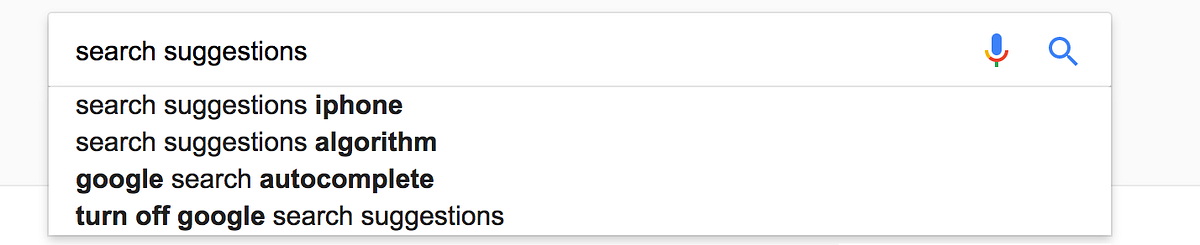
E-commerce platforms are heavily used by users and making sure that products are super easy to be found is crucial.
I’ve been working in a company that handles a platform that provides access to 100Mill products, so we’ve dedicated some time and resources to make sure our search results and suggestions get better over time. of course, as you noticed from the title, it’s based on ElasticSearch.

Let’s talk about the key points that contribute to making a great search module.
- ES Tokenizers
- Multimatch is a preference
- Fuzzy logic
- Relevancy factors — Term frequency — Invers Document frequency — NormLength
ES Tokenizers
As you know each field has an analyzer in ES, those analyzers are made of Tokenizers and Filters. Making sure those are chosen in a way that it can help the search become better is essential. in the case of suggestions, one of the best results can be achieved by using an Edge NGram Tokenizer. what is Edge NGram?
The edge_ngram tokenizer first breaks text down into words whenever it encounters one of a list of specified characters, then it emits N-grams of each word where the start of the N-gram is anchored to the beginning of the word.which brings the question what is Ngram? it’s basically taking all adjacent tokens of your token with a specified length N of grams.
ex. “Quick Foxes” with 3grams will give the tokens as below [ Qui, uic, ick, Fox, oxe, xes ]
Edge Ngram, will be something like NGram but only tokenize from the beginning.
Using Edge Ngram gives a plus where your query will match better results while the user is providing more data. let’s say you type Nik then it will go and match the token Nik from both Nikon and Nike, of course when u give ‘e’ it will match only Nike in that case.
To check how your fields are tokenized for a certain document, you can use this in ES:
GET Host/index_name/type/bead7_documentID_cd23cf/_termvectors?fields=fieldName
This will show you how many tokens you have and how are they constructed for a certain field name (your search field basically).
Multimatch is a preference
As a query, there are no musts, but a ‘match’ or ‘multi_match’ queries are proven to be the best in the search scenarios. ‘multi_match’ would be used in case you’re looking in multiple fields and the default type of search would be ‘best-match’ where either of the fields provided matches, the document will be a match. but let’s say you want your searched keyword to be found in a combination of fields combined together (i.e. brand/model/series). in that case, you should use ‘match’ query with the type cross_fields for search [do note that using cross_fields will cause you not to be able to use Fuzzy-logic with this as mentioned below].
Fuzzy Logic
Fuzzy logic is a very simple feature to use, but it gives a huge impact on your search.
let’s show the usage in an example: If the user searches for ‘Nile’ in the platform, ElasticSearch would definitely know that he meant ‘Nike’ but a type happened or a cat jumped on the keyboard. Nike will be a match of course. Cool, right! But do note that this cannot be used with all types of match queries search (ex. cross_fields), but with most of them it does.
Relevancy factors
ES has some theories on what effects relevancy (since the search engine wasn’t done by them, it was Lucene’s).
3 of the main factors are to be considered while you’re making your structure
Term frequency
How many tokens contain the word that is looked for in that document. and the value affects the resulted relevancy as below: if(t in d) = √frequency So, if your tokens are not tokenized properly you might end up having a problem in the perfect matching. ex. let’s say your tokenizer is doing this: a/b/c => a, a/b, a/b/c This will result in having a repeated 3 times, which gives it a higher weight that matching with a document that has only ‘a’ as a value (which is a perfect match).
Inverse Document frequency
Well for this part, all I can say is that you should know the more you have a certain keyword in your total documents, this keyword loses value. and this was done in ES/Lucene to make sure unnecessary stop words like ‘the’,’in’ are not taken into consideration mostly. so, build your data with that in mind.
NormLength
This one basically is the length of your field’s value, if you don’t really care for this much to be a priority (which affects the perfect match again), then disable it and you’ll notice a significant memory improvement since this takes a byte for each doc. but, it’s not advisable at all to disable this for search features. if you have a log index though, you definitely should disable it if your field is analyzed because in log indices you only care about finding an error code, but you don’t care about other stuff, plus you’ll have a big memory save.
How to check whats effecting what:
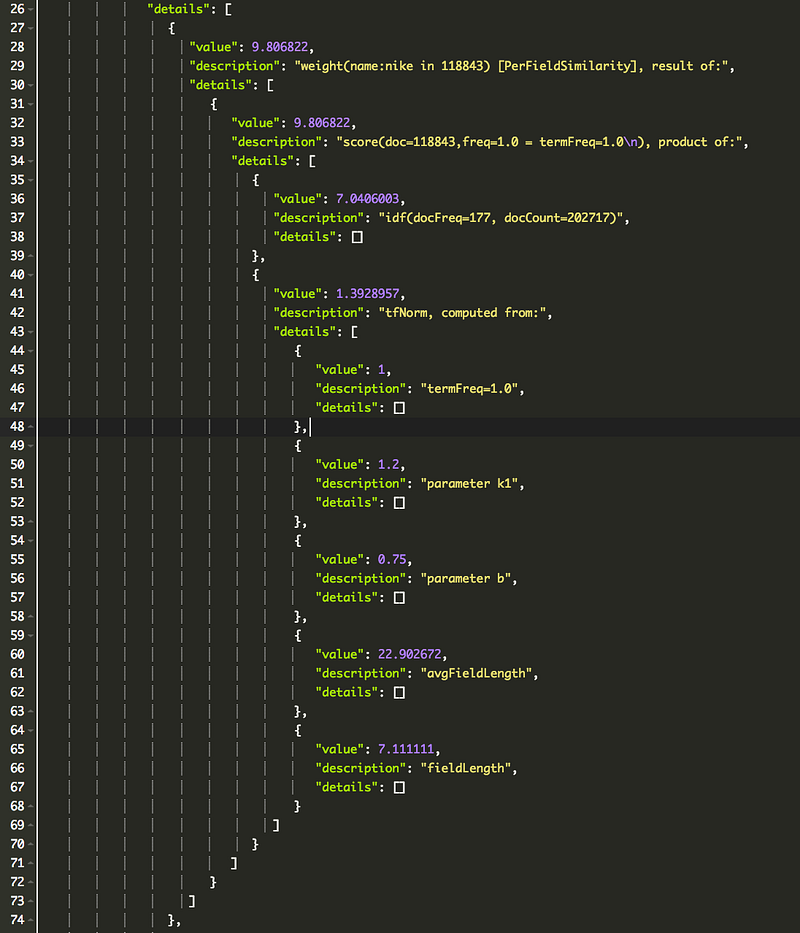
To check whats affecting your query not to be relevant enough, use [explain] in your query to see what are the TF, IDF and other factors and what are their values.
It will give you something similar to this:
ex. ‘nike’ match
Conclusion
You should really buy one of those programmers laptop/workstation stickers, they’re amazing 😍.
And we conclude as well that search and suggestions are very big topics to be discussed, and this article definitely didn’t cover 1% of that subject. but, based on my experience those key points are very solid keys to base search upon. Hope this was useful to the reader.
 Agile Open Space